6MP PoE Indoor Security Camera with 360° Blindspot-Free View
2K+ 6MP Super HD Resolution for Clarity
360° Panoramic View for Complete Area Coverage
Multiple Display Modes with Digital Dewarping
Smart Person Detection with Built-In Siren
Power Over Ethernet for Stable Wired Connection
Two-Way Audio for Real-Time Remote Communication
RM749.00–RM1,499.00Price range: RM749.00 through RM1,499.00
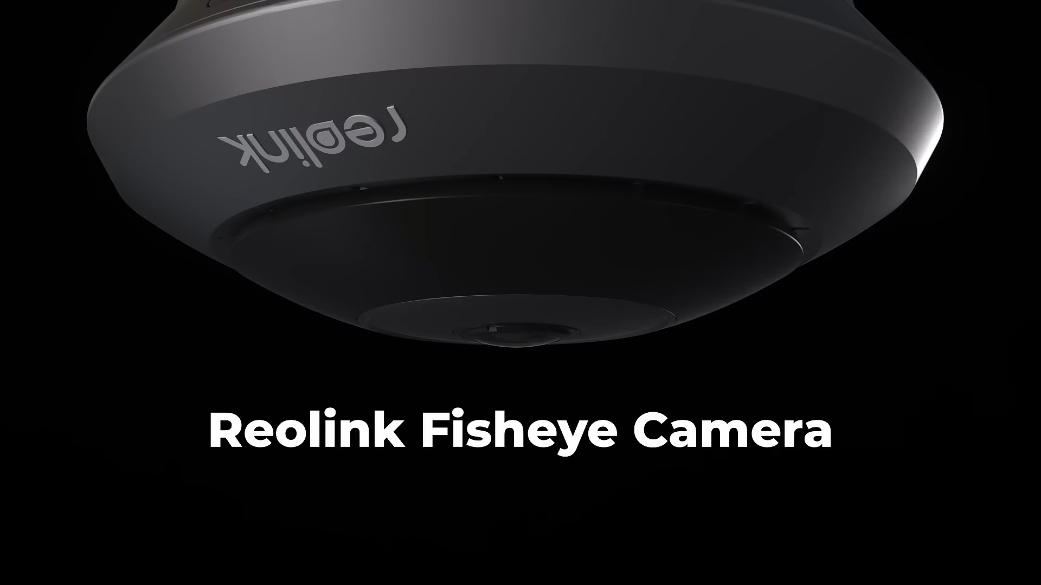
Reolink FishEye PoE
FishEye PoE Video
5 Videos
Others Video
Disclaimer: The videos are intended for reference purposes only and are not guaranteed to be 100% accurate. Please refer to the actual product or contact us for verification.
A: The Reolink FishEye PoE is a compact indoor 6MP Super HD panoramic security camera. Equipped with a ultra-wide fisheye lens, it delivers a 360-degree panoramic field of view to monitor an entire room, store, office, or warehouse with a single camera unit.
What are the main key features of the Reolink FishEye PoE?
A: Key features include:
6MP Super HD Resolution (2560 x 2560 pixels at 25fps)
360-Degree Panoramic View (180-degree horizontal, vertical, and diagonal field of view)
Power over Ethernet (PoE) support (IEEE 802.3af, 48V Active)
Smart AI Detection (Person, Motion, and AI-assisted event filtering)
Two-Way Audio with integrated microphone and speaker
Infrared Night Vision up to 8 meters (26 feet)
Local Onboard Storage supporting microSD cards up to 256GB
What items are included in the package box when purchasing the camera?
A: The standard package includes:
Reolink FishEye PoE Camera
Mount Base
Mounting Template
1 Meter Ethernet Cable
Pack of Mounting Screws and Anchors
24/7 Surveillance Warning Sticker
Quick Start Operational Instructions Guide
What are the physical dimensions, weight, and weather resistance rating of the unit?
A:
Dimensions: 126 mm diameter x 49.2 mm height
Weight: 293 grams
Weather Resistance: The Reolink FishEye PoE is strictly an indoor camera without an IP weatherproof rating. It should be used in climate-controlled indoor environments with operating temperatures between -10°C and +55°C (14°F to 131°F) and operating humidity levels of 10% to 90%.
What warranty coverage and smart home integrations does the camera support?
A: The camera comes with a 2-year limited warranty backed by official Reolink technical support. It is compatible with Google Assistant, allowing live video streaming to smart display devices using voice commands.
Optics, 360-Degree Panoramic View & Image Display
How does the camera capture a complete 360-degree room view?
A: The camera utilizes a 1/2.5-inch CMOS image sensor combined with an ultra-short fixed 1.98mm focal length lens (F2.0 aperture with IR Cut). This optical design produces an expansive 180-degree horizontal, 180-degree vertical, and 180-degree diagonal viewing angle, delivering 360-degree panoramic room coverage when ceiling mounted.
What video resolution, frame rate, and bitrate options are supported?
A:
Resolution: 6MP Super HD (2560 x 2560 pixels).
Frame Rate: 2 fps to 25 fps (Default: 25 fps).
Main Stream Bitrate: 4096 Kbps to 8192 Kbps (Default: 6144 Kbps).
Sub Stream Bitrate: 64 Kbps to 512 Kbps (Default: 256 Kbps).
Video Compression: H.265 / H.264.
What dewarping and view display modes are available on software clients?
A: Via the Reolink App and Reolink Client software, the original circular fisheye stream can be dewarped into multiple viewing modes, including:
Fisheye View (Original circular stream)
180-Degree Panoramic View
Dual Panorama View
Quad View (4 split-screen quadrants acting as virtual PTZ cameras)
Multi-Point / 5-Point View
What are the infrared night vision specifications of the camera?
A: For monitoring in total darkness, the camera features 3 built-in 850nm infrared LEDs with an auto-switching IR-cut filter, providing clear black-and-white night vision coverage up to 8 meters (26 feet).
Does the Reolink FishEye PoE support two-way audio communication?
A: Yes, the camera includes an integrated microphone and a built-in speaker, enabling full two-way real-time voice communication through the Reolink App or Client.
Power over Ethernet (PoE), Cabling & Connectivity
How is the Reolink FishEye PoE camera powered?
A: The primary power method is active Power over Ethernet (PoE) complying with IEEE 802.3af standards (48V Active). Power supply and high-speed network video data are transmitted over a single RJ45 Ethernet network cable connected to a PoE switch, PoE injector, or Reolink PoE NVR.
Can the camera be powered with a DC power adapter instead of PoE?
A: Yes, the tail cable includes an auxiliary DC 12.0V, 1A power jack (Power consumption under 12W) for installation scenarios where PoE equipment is unavailable. Note that a DC 12V power adapter is not included in the standard box package.
What network protocols and ONVIF standards are supported?
Which web browsers, operating systems, and mobile apps control the camera?
A:
Computers: Windows PC and Mac OS via the Reolink Client.
Mobile Devices: iOS and Android via the official Reolink App.
Web Browsers: Google Chrome, Microsoft Edge, Mozilla Firefox, and Apple Safari.
How many user accounts and live video streams can access the camera simultaneously?
A:
User Accounts: Up to 20 user accounts (1 Admin account and 19 User accounts).
Simultaneous Streams: Up to 12 simultaneous video streams (2 Main Streams and 10 Sub Streams).
Smart Detections, AI Alarms & Recording
What smart AI detection and alert capabilities does the camera offer?
A: Onboard AI processing provides real-time event filtering for:
Person / Human Detection
General Motion Detection
Custom AI Event Alarms (Push notifications and email alerts with video snapshot attachments)
What local storage capacity is supported on the device?
A: The camera contains a built-in MicroSD card slot located behind a protective cover on the camera body side that supports microSD cards with storage capacities up to 256GB.
What video recording modes are available?
A:
Motion-Triggered Recording (Default mode)
Scheduled Recording (Customized time periods or days)
24/7 Continuous Recording (Saves continuously to microSD card, Reolink PoE NVR, or FTP server)
Can the camera record continuously 24/7 without a monthly subscription fee?
A: Yes, the Reolink FishEye PoE supports local 24/7 continuous recording directly to an onboard microSD card (up to 256GB) or a Reolink PoE NVR without requiring any subscription plans or cloud storage fees.
Does the camera support Time Lapse recording?
A: Yes, users can access the Time Lapse feature in the Reolink App to capture long-duration indoor activities (Such as store foot traffic or meeting sessions) and play them back as accelerated video clips.
Hardware, Physical Features & Mounting Options
Where are the physical hardware ports, slots, and reset button located on the camera?
A:
Front Face: Fisheye Lens, Daylight Sensor, 3 Infrared LEDs, and Microphone.
Side Body Cover: MicroSD Card Slot and Hardware Reset Button.
Rear Tail Cable: RJ45 Ethernet Port, DC 12V Power Jack, and Waterproof Lid.
Where can the Reolink FishEye PoE camera be mounted?
A: The camera is designed primarily for ceiling mounting (Which provides a true central 360-degree room view) and wall mounting (Which provides an expansive 180-degree panoramic wall-to-wall view).
Is the Reolink FishEye PoE suitable for outdoor installation?
A: No, this camera is specifically designed for indoor use. It lacks weather-sealing against rain, snow, or direct water splashes. Outdoor usage can lead to moisture damage and void the manufacturer warranty.
How does the quick-mount base and locking mechanism work?
A: The included circular mount base is fixed to the wall or ceiling with screws. The camera body is aligned with the mounting tabs on the base, pressed flat, and rotated clockwise until it clicks into the locked position.
How do you release the camera from its mount base?
A: To detach the camera for maintenance or microSD card access, press the built-in plastic release mechanism catch on the camera rim and rotate the camera counterclockwise to unlock it from the base.
Setup, Maintenance & Troubleshooting
How do you set up the Reolink FishEye PoE using the Reolink App?
A:
Connect the camera's RJ45 LAN port to a PoE switch, PoE injector, or Reolink PoE NVR using an Ethernet cable.
Open the Reolink App on your mobile device and tap the "+" icon in the top right corner.
Scan the QR code located on the camera body or tap "Input UID/IP" to manually type the 16-character UID.
Create an admin password, assign a device name, and tap "Finish" to begin live streaming.
How do you connect the camera directly to a Reolink PoE NVR?
A: Connect one end of an Ethernet cable to the camera's RJ45 port and the other end directly into an available PoE port on the back of the Reolink NVR. The NVR will automatically detect, power, and display the camera feed on connected monitors.
How do you perform a factory reset on the camera?
A: Open the protective rubber flap on the side of the camera body to access the reset button. While the camera is powered on, insert a pin or reset needle and press and hold the reset button for 5 seconds until you hear an audio prompt or see the LED blink, indicating default factory settings have been restored.
What troubleshooting steps should I take if the camera fails to power on?
A:
Verify that your PoE switch, PoE injector, or Reolink NVR provides active 48V IEEE 802.3af PoE power.
Test the connection with a different Ethernet cable.
Connect the camera to a different PoE port on your switch or NVR.
Alternatively, test the camera using a known working DC 12V 1A power adapter plugged into the tail cable power jack.
What troubleshooting steps should I take if the video feed is blurry or distorted?
A:
Gently wipe the curved fisheye lens with a soft, clean micro-fiber cloth to remove dust or fingerprints.
Ensure you have selected the appropriate display dewarping mode (Ceiling vs. Wall mount orientation) in the Reolink App or Client settings under Device Settings > Display.
Verify that the camera firmware is updated to the latest version via https://reolinkmalaysia.com.my/support.
Reviews
There are no reviews yet